Artificial Intelligence (AI) is no longer limited to big computers or expensive devices. Today, every Android smartphone supports AI in one way or another—even budget phones.
But the big question is:
👉 “Can I use AI in my Android phone? And if yes, how?”
The short answer is: YES, you can use AI on almost any Android phone.
The long answer — how, where, and how much — is explained in detail below.
Let’s break it down in a simple, beginner-friendly way.
Read this too: What Does “Integrated AI” Mean in Android?
What is AI in Android Phones? (Simple Explanation)
AI means a phone that can think, learn and make smart decisions, just like humans.
In Android, AI is used for:
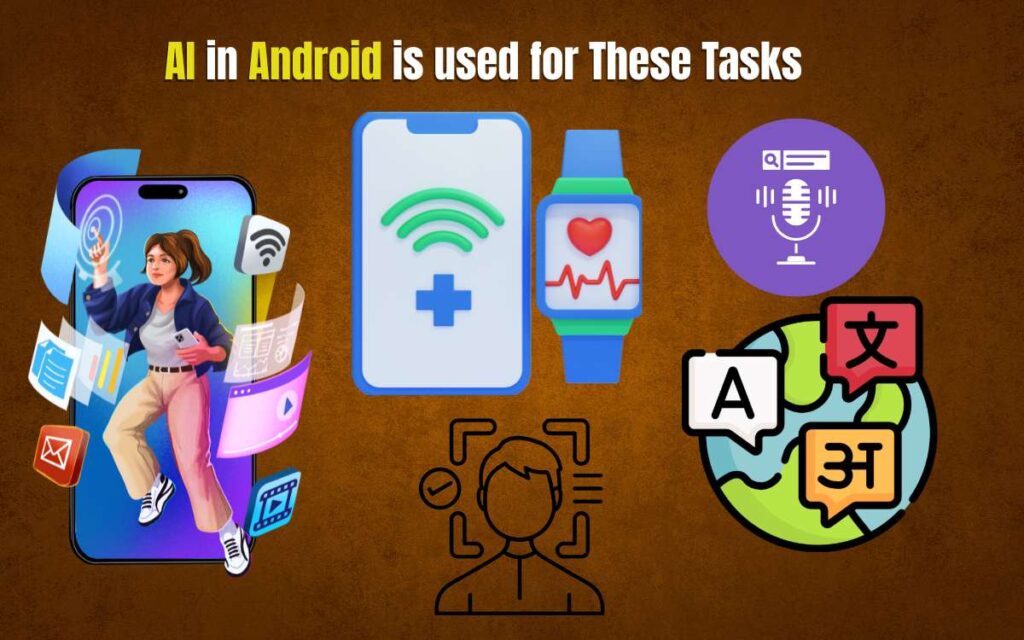
- Better photos
- Voice commands
- Smart suggestions
- Chatbots (like ChatGPT, Gemini, etc.)
- Productivity apps
- Health tracking
- Translation
- Learning apps
- Security and face unlock
Even if your phone is 3–4 years old, you can still use many AI features through apps.
Does My Android Phone Support AI?
Every Android phone supports some level of AI through apps.
But if your phone has a newer chipset, you get even better AI features.
Phones with strong AI support include:
- Snapdragon 7+ Gen 2 / 8 Gen series
- Google Pixel phones (Tensor chipset)
- Samsung phones with Exynos + Galaxy AI
- MediaTek Dimensity series
Don’t worry — even if your phone is older, you can still use most AI apps.
How to Use AI on an Android Phone? (10 Practical Ways)
Here are the simplest ways ordinary users use AI daily.
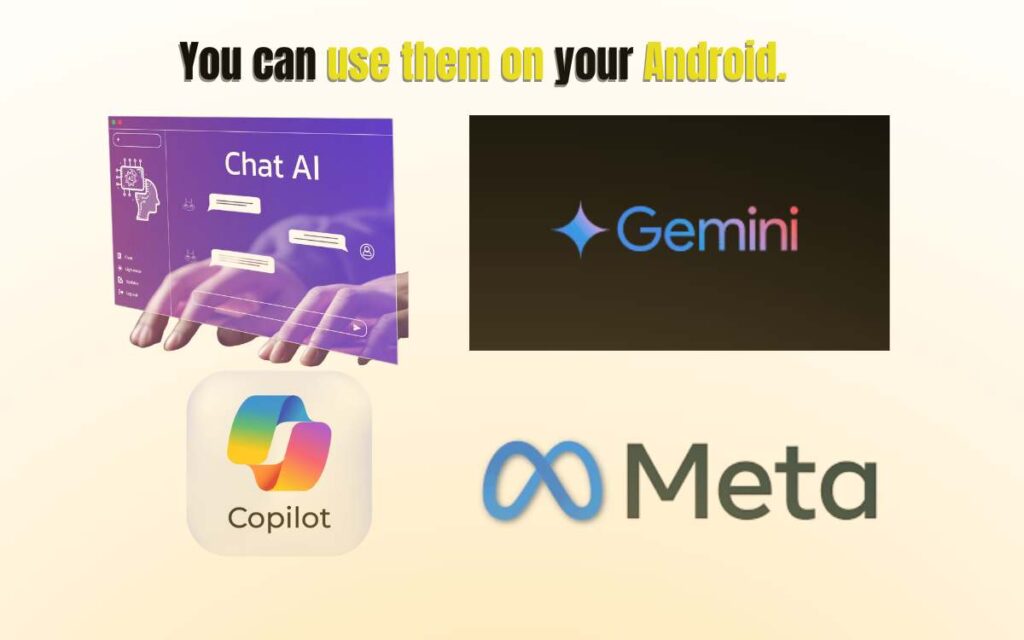
1. AI Chatbots (ChatGPT, Gemini, Copilot)
You can use advanced AI models directly from Android apps:
- ChatGPT
- Google Gemini
- Microsoft Copilot
- Meta AI
What you can do with these apps:
✔ Homework help
✔ Writing articles
✔ Creating notes
✔ Generating images
✔ Solving maths
✔ Learning new skills
✔ Getting personal assistance
2. AI Photo Editing & Enhancement
Today’s phone editing apps use powerful AI:
- Remini
- Photoleap
- Adobe Lightroom AI
- FaceApp
- PicsArt AI tools
You can:
✔ Remove background
✔ Fix blurred photos
✔ Enhance old pictures
✔ Change sky
✔ Create AI avatars
3. AI Camera Features
Most modern Android phones use AI in the camera:
- Night mode
- Portrait mode
- Scene detection
- Auto-stabilization
- Face beauty filters
- Object tracking
Even budget phones have smart AI camera systems now.
4. AI Voice Assistants
Your Android already has AI built in:
- Google Assistant
- Galaxy AI (Samsung)
- Pixel’s AI features
You can:
✔ Call someone
✔ Set reminders
✔ Translate languages
✔ Ask questions
✔ Control smart devices
5. AI for Productivity
Apps like:
- Notion AI
- Grammarly AI
- Microsoft 365 AI
- Evernote AI
These help with:
✔ Writing emails
✔ Summarizing long texts
✔ Creating to-do lists
✔ Organizing work
6. AI for Study & Learning
Student-friendly AI apps:
- Khan Academy AI
- Google Lens
- Udemy + AI
- Doulingo AI
You can:
✔ Scan notes
✔ Translate instantly
✔ Solve maths
✔ Learn new languages
7. AI for Health & Fitness
Your phone can analyze your activity using AI:
- Samsung Health
- Google Fit
- MyFitnessPal AI
AI helps in:
✔ Steps tracking
✔ Sleep analysis
✔ Food calories
✔ Workout suggestions
8. AI for Security
Android uses AI for:
- Face unlock
- Fingerprint optimization
- Anti-malware detection
- App behavior monitoring
Your phone becomes smarter at protecting you.
9. AI for Translation
Apps like:
- Google Translate
- SayHi AI
- ChatGPT voice translation
These give:
✔ Real-time voice translation
✔ Live camera translation
✔ Offline translation
10. AI Image & Video Creation
AI video apps:
- CapCut AI
- Runway ML (web)
- InShot AI
- PicsArt AI video tools
You can create:
✔ Reels
✔ Thumbnails
✔ AI music videos
✔ AI artwork
All from your phone.
Do You Need a High-End Phone for AI?
No.
Most AI apps run online, meaning the heavy processing happens on servers, not your device.
So even a ₹10,000 Android phone can use:
✔ ChatGPT
✔ Gemini
✔ Translator
✔ Photo editors
✔ Voice assistants
Only advanced features like AI-powered video editing or offline AI processing need a powerful phone.
Benefits of Using AI on an Android Phone
Using AI makes your life easier:
- Saves time
- Increases productivity
- Helps in studies
- Gives creative ideas
- Improves photos/videos
- Saves storage space
- Improves security
- Makes the phone smarter
AI is not just a feature — it’s a digital companion.
Limitations of AI on Android Phones
Some challenges still exist:
❌ Heavy AI models may lag on old phones
❌ Needs fast internet for best performance
❌ Can drain battery faster
❌ Some features require paid plans
❌ Privacy concerns in some apps
But overall, the benefits are far bigger than limitations.
Final Thought
Yes — you can absolutely use AI on an Android phone, whether your device is basic, mid-range, or flagship.
AI apps and features make your phone:
✔ Smarter
✔ Faster
✔ More useful
✔ More productive
If you want better photos, better writing, instant answers, or smart suggestions — AI is already inside your smartphone, ready to help.
Frequently Asked Questions (FAQ)
Q. Can I use ChatGPT on my Android phone?
Yes, you can download the app from Play Store or use the web version.
Q. Does every Android phone support AI?
Yes, all phones can run AI apps, but newer phones run them faster.
Q. Is AI safe to use on mobile?
Yes, as long as you use trusted apps and avoid sharing sensitive data.
Q. Does AI slow down the phone?
Only heavy editing apps may lag older devices.
Q. Can AI run offline on Android?
Some features like translation and notes can run offline, but advanced AI needs internet.